
Hardware
Can your PC run WARDOGS?
The specs Bulkhead has published, and a two-minute check against the parts in your machine.
Check your PC
Pick the closest match for each part. Nothing is sent anywhere — this runs in your browser.
Pick your graphics card and processor to see a verdict.
Laptop cards run a tier below their desktop name — a laptop RTX 3060 sits nearer a desktop 3050.
Best computer builds for WARDOGS
Three builds, cheapest first. All of them clear the parts Steam calls recommended rather than the ones it calls minimum, because the published minimum is a GTX 1660 and buying a six-year-old card in 2026 saves you very little to run the game badly. Treat the recommended column as the safer read anyway: these are pre-Early-Access figures for a game that has not shipped.
Budget build
1080p, high settingsThe cheapest machine worth building. It still clears the parts Steam calls recommended rather than the ones it calls minimum — the published minimum is a GTX 1660, and nobody should buy a six-year-old card in 2026.
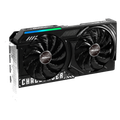 GraphicsASRock Arc B580 Challenger 12GB OCClears the RTX 3070 anchor with 12 GB of memory$309.99130
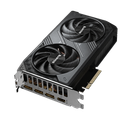 Graphics — orGIGABYTE RTX 5060 WINDFORCE OC 8GThe nVidia alternative, sitting exactly on the line$459.99125
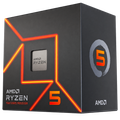 ProcessorAMD Ryzen 5 7600Ships with a cooler, so there is no cooler row$209.00185
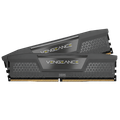 MemoryCORSAIR Vengeance DDR5 16GB (2 x 8)DDR5-5200. There is no 6000 kit in 2 x 8 — every 6000 kit is 2 x 16$254.99
 StorageSamsung 990 EVO Plus 1TBWARDOGS wants 50 GB of it$239.99
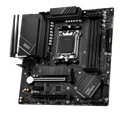 MotherboardMSI PRO B650M-A WiFiAM5, so the processor can be replaced without replacing this$169.90
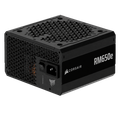 Power supplyCORSAIR RM650e ATX 3.1, 650W GoldATX 3.1, so a native 12V-2x6 lead rather than an adapter$104.99
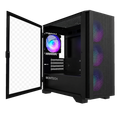 CaseMONTECH AIR 100 ARGB, micro-ATXMesh front, four fans included$69.90
Mid-range build
1440p, 144 FPSBuilt for the frame rate rather than the resolution. The step up from the budget build is the graphics card; the processor moves with it because frames past 120 are where a six-core starts deciding the number.
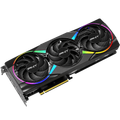 GraphicsPNY RTX 5060 Ti 16G Epic-X RGB OC16 GB, which is the version of this card worth buying$469.99150
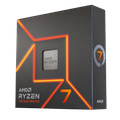 ProcessorAMD Ryzen 7 7700XEight cores, and no bundled cooler$233.00200
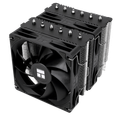 CoolerThermalright Peerless Assassin 120 SE V2A third the price of an AIO and within a few degrees on a 7700X$39.90
 MemoryCORSAIR Vengeance DDR5 32GB (2 x 16) 6000 CL30CL30 at 6000 is the sweet spot on AM5$509.99
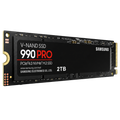 StorageSamsung 990 PRO 2TB$389.99
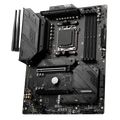 MotherboardMSI MAG B650 Tomahawk WiFiAM5, ATX$139.99
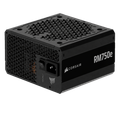 Power supplyCORSAIR RM750e ATX 3.1, 750W Gold$89.99
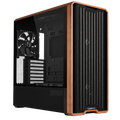 CaseLian Li LANCOOL 217Five PWM fans included$119.99
High-end build
1440p, worst caseFor the scene the spec sheet does not describe: three teams converging on the same 2 x 2 km square with destruction going off. Spec sheets are written for average conditions, and that is not one.
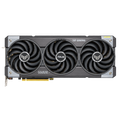 GraphicsASUS TUF Gaming RTX 5070 12GB OCComfortably past the recommended anchor$811.19215
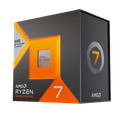 ProcessorAMD Ryzen 7 7800X3DThe extra cache is what holds a floor when the frame is busy$339.00240
 CoolerARCTIC Liquid Freezer III Pro 360$69.89
- MemoryCORSAIR Vengeance DDR5 32GB (2 x 16) 6000 CL30CL30 at 6000 is the sweet spot on AM5$509.99
- StorageSamsung 990 PRO 2TB$389.99
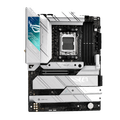 MotherboardASUS ROG STRIX X670E-A Gaming WiFiMore board than a 7800X3D needs; a B650E would do if you want it cheaper$385.00
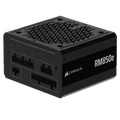 Power supplyCORSAIR RM850e (2025) ATX 3.1, 850W Gold$119.00
- CaseLian Li LANCOOL 217Five PWM fans included$119.99
Prices read from Amazon on 25 August 2026 and not updated since — check the current figure before you buy, because hardware pricing in 2026 moves faster than any page can. Totals exclude the alternative graphics card, which is an either/or rather than a second card. The small number under each price is the same relative index the checker above uses: WARDOGS wants 125 on the graphics scale and 165 on the processor scale. Every row is an Amazon affiliate link and pays this site a commission if you buy through it, at no extra cost to you.
Published requirements
| Part | Minimum | Recommended |
|---|---|---|
| OS | Windows 10 64-bit | Windows 11 64-bit |
| Processor | Intel Core i5-8600 / AMD Ryzen 5 3500 | Intel Core i7-12700K / AMD Ryzen 7 5700X |
| Memory | 16 GB RAM | 16 GB RAM |
| Graphics | NVIDIA GTX 1660 / AMD RX 590 | NVIDIA RTX 3070 / AMD RX 6700 XT |
| Storage | 50 GB available space | 50 GB available space |
| Network | Broadband Internet connection | Broadband Internet connection |
Verified against the Steam store page on 4 September 2026, row by row. These are the pre-Early-Access figures on the Steam page. Requirements often move during Early Access — check Steam before buying hardware.Steam store page ↗
Figures published elsewhere are out of date
Two of the aggregator pages that rank for this query disagree with Steam on storage, and they disagree with each other. Checked on 4 September 2026:
| Source | Storage, minimum | Storage, recommended |
|---|---|---|
| Steam store page | 50 GB | 50 GB |
| vgtimes.com | 30 GB | 40 GB |
| canirunthegame.com | 40 GB | 40 GB |
Both appear to be stale scrapes of an earlier revision of the Steam page. If you are clearing space, clear 50 GB — and treat any spec table without a verification date on it as a guess.
What Steam says it runs at
Since the beta, the Steam page prints a performance target under each column, which is the part every reprinted spec table leaves out and the part that actually tells you what the GTX 1660 buys. Read on 4 September 2026:
| Tier | Parts | Steam's stated target |
|---|---|---|
| Minimum | NVIDIA GTX 1660 / AMD RX 590 | 1080p Low @ 60fps (Upscaled) |
| Recommended | NVIDIA RTX 3070 / AMD RX 6700 XT | 1440p Medium @ 70fps+ (Native) or 4K Medium @ 60fps+ (Upscaled) |
"Upscaled" is Steam's word for DLSS, FSR or XeSS switched on, so the minimum tier is 60 fps at 1080p with an upscaler doing part of the work, not native. The recommended tier is the only one that reaches native resolution, and it does so at 1440p Medium rather than High. Two things from the beta bear on those numbers: the settings floor is low enough that near-minimum hardware ran the game, which is where the "potato settings" fairness argument came from, and the one crash class tied to hardware was the upscaler itself — see crash on launch before assuming a part is at fault.
Linux and Steam Deck
ConfirmedWindows is the only operating system on the list, and that is now official. On 4 September 2026 Bulkhead said it does not support Linux, cannot commit to Proton support for the 10 September launch, and that anyone who bought WARDOGS to run it under Proton should refund. Steam shows no Steam Deck rating. The reason is the anti-cheat: it is kernel-level, and the September build's had no Linux module, so the launcher stops before the game starts. What anti-cheat WARDOGS uses, and the statement in full →
What the numbers actually mean
16 GB of RAM is a floor, not a target
Memory is the same in both columns, which is unusual. It means 16 GB is what the game needs to function rather than what it needs to run well — there is no headroom to buy here, and going to 32 GB is not what a published spec sheet is asking you for.
The GPU gap is the real jump
Minimum to recommended is a GTX 1660 to an RTX 3070. That is a much larger step than the CPU gap, and it is where your money goes if you are upgrading one part.
Expect these to move
These are pre-Early-Access figures for a game that has not shipped, with destruction systems and 100-player matches still being tuned. Requirements published this early are an estimate from an internal build. Treat the recommended column as the safer read.
A hundred players in a small zone is the worst case
Spec sheets describe average conditions. The demanding moment in WARDOGS is three teams converging on the same 2 × 2 km square with destruction going off. If you land on minimum, that is where the frame rate goes.
Before you commit to an upgrade
What WARDOGS actually is
Three teams, 100 players and a 2 × 2 km Control Zone — what the hardware is being asked to render.
When does it come out?
Steam Early Access on 10 September 2026, PC only.
What anti-cheat does WARDOGS use?
Kernel-level, and the reason Linux and the Steam Deck are out at launch.
The map, to scale
256 km² of Kolchia, and why three teams converging on one square is the worst case for frame rate.
Weapons and the meta
Where the cash economy makes cost, not damage, the thing that decides a loadout.